Posts

Showing posts with the label HTML

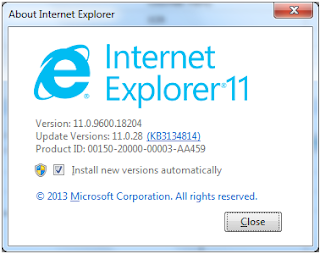
IE11 BUG caused by MS16-009 Security Update package - showModalDialog() does not return a value
Image
After installing MS16-009 Security Update package, my application got crash and window.showModalDialog returns nothing. I have to manually uninstall the patch and everything become normal. KB3134814 is the reason behind all this issue. After installation, window.showModalDialog return undefined. If you face same issue, you have to uninstall this patch from the client machine. But wait....!!! There is a workaround for this issue. Place the Below code in a script  function ResetReturnValue(){  if (window.returnValue == null) {         var oFrame = $('#FrameLookup'); // IFRAME ID         if (oFrame.length) {             var oContentWindow = oFrame[0].contentWindow;             if (oContentWindow) {       ...

SPAN Tag's width is not properly setting.

Image
HTML’s Span tag has some time an issue that when it rendered on screen, its width does not set as mentioned in code. <span id=”spnAmount” style="width:200px; text-align: right; ">120,000.00</ span>   <span id=”spnBalAmount” style="width:200px; text-align: right; ">20,000.00</ span>   Here “spnBalAmount” has width 200px but as showing in below image its width is fixed to the characters it contains To resolve this issue, add “display: inline-block;” as shown below. This will resolve the issue. <span id=”spnAmount” style="width: 200px; text-align: right; display: inline-block; ">120,000.00</ span>   <span id=”spnBalAmount” style="width: 200px; text-align: right; ">20,000.00</ span>   See in below image, after adding “display: inline-block;” span tag rendered with its actual width. You can use “display: block;” but this will make the span like ...